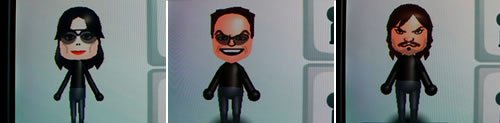
Ever stared at a blank Mii creator screen, dreaming of bringing your favorite celebrity, a beloved fictional character, or even a super-accurate version of yourself to digital life? Creating specific Mii characters and celebrity look-alikes is more than just a game; it's an art form, a delightful challenge that blends keen observation, creative interpretation, and a dash of digital sculpting. With a discerning eye and the right techniques, you can transform pixels into uncanny resemblances, making your Mii Plaza or virtual worlds truly your own.
This guide will equip you with the advanced strategies and granular detail you need to move beyond generic Miis and craft characters that truly stand out. We’ll delve into the nuances of each customization option, uncover the secrets of realistic recreation, and help you unlock your inner Mii artist.
At a Glance: Your Blueprint for Mii Mastery
- Start Smart: Use a clear reference photo and begin with the broadest features first.
- The Foundation: Master face shapes and skin tones—they dictate everything else.
- Eyes Are Key: Pay close attention to eye type, size, position, and subtle rotation for expression.
- Hair & Brows Define: These features frame the face and are crucial for recognition.
- Proportion is Power: Understand how feature size and placement affect the overall likeness.
- Subtle Adjustments: Small tweaks often make the biggest difference in realism.
- Iterate & Test: Save frequently and view your Mii from different angles and in various game environments.
- Embrace Exaggeration: For celebrity or fictional Miis, slightly exaggerate iconic features for instant recognition.
- Accessories Matter: Don't underestimate glasses, hats, or facial hair to seal the deal.
- Join the Community: Learn from others and share your creations for feedback and inspiration.
The Art of Mii-Making: More Than Just a Game
Mii characters have been a staple of Nintendo consoles for years, evolving from simple avatars on the Wii to surprisingly detailed digital doppelgängers on the Switch. What might seem like a straightforward character creator actually offers an impressive suite of tools, allowing for remarkable fidelity if you know how to wield them. The beauty of the Mii system lies in its accessible simplicity combined with hidden depth, turning the act of creating your Mii into a rewarding creative endeavor. Whether you're aiming for a spitting image of a friend or a recognizable rendition of a pop culture icon, precision and patience are your best allies.
Getting Started: The Foundation of Your Mii Masterpiece
Before diving into the intricate details, let's ensure you're starting on the right foot. The Mii creation process is designed to be user-friendly, but a few strategic habits can significantly improve your outcome.
Setting Up Your Canvas: The Basic Steps
To begin crafting your Mii, you'll typically follow these steps:
- Navigate to System Settings from your console's home menu.
- Select Mii from the left sidebar.
- Choose Create/Edit a Mii.
- Select Create New Mii to start from scratch.
Some platforms, like the Nintendo Switch, even offer a "photo import" option, allowing you to use your console's camera to capture a face and generate a basic Mii. While this is a decent starting point, don't expect it to be a perfect replica; it mostly provides a foundational face shape and skin tone, leaving the heavy lifting to your artistic touch.
General Best Practices for Precise Creation
- Start with a Clear Reference: If you're recreating a specific person, have a well-lit, front-facing photo (or several photos from different angles) open beside you. This is your blueprint.
- Broad Strokes First: Don't get bogged down in nose width before you've picked the right face shape. Begin with the overall form, then progressively refine the details.
- Save Frequently: This is non-negotiable. Nothing is more frustrating than losing meticulous work. Save after every significant change.
- Experiment Fearlessly: You can always undo or edit later. Don't be afraid to try different options, even if they seem off-the-wall at first. Sometimes a feature meant for one purpose can be creatively repurposed.
Mastering the Features: A Deep Dive into Customization
The magic of specific Mii creation lies in understanding how each customization slider and option interacts with the others. Think of it as sculpting: every adjustment has a ripple effect.
The Face: Your Mii's Blank Canvas
The face is your starting point, setting the stage for all subsequent features.
- Face Types: These are your fundamental building blocks—round, oval, square, triangular. Spend time here, as the chosen face shape dramatically influences how eyes, noses, and mouths will ultimately sit and look. For someone with a prominent jawline, a square face type might be essential, while a softer appearance may require an oval or round base.
- Skin Tones: A broad spectrum of skin tones is available. Choose one that closely matches your reference, keeping in mind that the in-game lighting might slightly alter its appearance.
- Face Features: Options like wrinkles or makeup can add subtle age or character. Use these sparingly for realism; a light touch is often more effective than heavy application.
The Eyes: The Soul of Your Mii
Eyes are arguably the most expressive and challenging feature to get right. With over 60 eye types and 12+ colors, the combinations are vast.
- Eye Type & Color: Start by finding the closest eye shape to your reference. Consider the overall emotion conveyed by the eye (e.g., wide-eyed, narrow, sleepy). Color is straightforward but remember that some characters have very distinctive eye colors.
- Size (Vertical/Horizontal): This is crucial. Adjusting both vertical and horizontal dimensions independently allows for incredibly precise shaping. Is the person's eye naturally wider than it is tall? Or more vertically open?
- Position (Vertical/Horizontal): Where the eyes sit on the face is paramount. Too high, and the forehead looks too large; too low, and the chin appears too long. Horizontal position affects the overall width of the face visually.
- Rotation: A slightly rotated eye can add immense character. Subtly rotate eyes outwards for a more open, friendly look, or inwards for a more focused or intense gaze.
- Spacing: The distance between the eyes can dramatically alter the perception of the face. Close-set or wide-set eyes are distinct identifiers for many people.
- Subtle Asymmetry: Real faces are rarely perfectly symmetrical. A tiny, almost imperceptible difference in the rotation or vertical position of one eye compared to the other can make your Mii look strikingly more natural and less "doll-like."
Eyebrows: Framing Emotion and Identity
Eyebrows frame the eyes and are powerful communicators of emotion and personality.
- Brow Style: From thin and arched to thick and bushy, the style significantly impacts expression. Pay close attention to the natural arch or straightness of your reference's brows.
- Color: While often matching hair color, don't be afraid to contrast slightly if your reference has distinctly lighter or darker brows.
- Size, Position, & Rotation: Like eyes, eyebrows can be sized, positioned, and rotated. Raising them can convey surprise, lowering them intensity, and angling them creates various expressions (e.g., a skeptical arch). This is where you bring your Mii to life with subtle emotional cues.
The Nose: A Central Defining Feature
The nose, while sometimes overlooked, is central to facial recognition.
- Nose Type: Choose from types like small, large, wide, pointed, or flat. This selection is your primary decision for the nose's overall silhouette.
- Size (Vertical/Horizontal Scaling): Once you have the type, fine-tune its dimensions. Is the nose long or short? Wide or narrow? These sliders give you critical control.
- Position (Vertical Placement): The vertical placement of the nose impacts the overall balance of the face. A higher nose can make the philtrum (the groove between the nose and upper lip) appear longer, while a lower nose can shorten it.
Mouths: Expressing Personality
Mouths are essential for conveying personality and emotion.
- Mouth Type: Options range from subtle smiles and neutral expressions to frowns or open mouths. Select the type that best captures your reference's typical demeanor.
- Color: Beyond standard pink, you can use bolder colors for lipstick or distinctive lip tones.
- Size (Horizontal/Vertical Scaling): Adjust the width and height of the mouth. Is it a wide, thin mouth or a smaller, fuller one?
- Position (Vertical Placement): The mouth's vertical position works in tandem with the nose. Moving it up or down affects the length of the chin and the space between the nose and mouth, dramatically altering the Mii's expression.
Hair: The Crowning Glory
Hair is often one of the first features people notice and can be a strong identifier.
- Hairstyles: With over 100 styles, this section requires careful browsing. Find a style that closely matches your reference's haircut, considering length, texture, and bangs.
- Hair Colors: Beyond standard browns and blonds, Mii creation offers unique shades like pink, blue, and green, which are perfect for recreating anime characters or individuals with distinct hair dyes.
- Flip Hair Option: Don't forget this simple but powerful tool! If a hairstyle is nearly perfect but parts on the wrong side, the flip option can mirror it instantly, saving you from settling for a less accurate style.
Body: Height, Build, and Favorite Color
While less detailed than facial features, body adjustments and the "Favorite Color" add crucial layers of personalization.
- Height & Build: Use the sliders to adjust your Mii's height (short to tall) and build (slim to heavy). These proportions are important for a holistic representation, especially if your character has a very distinctive physique.
- Favorite Color: This isn't just a preference! The Favorite Color you select for your Mii is often used in various games for their clothing, accessories, or highlights, making it an integral part of their in-game appearance. Choose a color that suits the character or is iconic to them (e.g., Mario's red).
From Photo to Pixel: Crafting Realistic Mii Recreations
The journey from a two-dimensional photograph to a three-dimensional Mii demands a keen eye and a strategic approach.
- Use a High-Quality Reference Photo: Blurry or poorly lit photos hide crucial details. Opt for clear, front-facing shots where facial features are distinct. Having a side profile can also help with understanding depth and nose shape.
- Focus on Distinctive Features: What makes this person them? Is it a prominent nose, a unique eye shape, a particular hairstyle, or a signature expression? Identify the 2-3 most iconic features and prioritize getting them right. For a celebrity, these are the visual cues that trigger instant recognition.
- Apply Subtle Adjustments to Position and Size: Resist the urge to make drastic changes. Often, moving an eye or the mouth by just one or two notches can transform a "close" Mii into an "uncanny" one. Think in percentages rather than absolute values.
- Layer Features Carefully: Remember how features interact. The vertical position of the eyes affects the perceived length of the forehead. The eyebrow position should align naturally with the eyes. Adjusting the nose might necessitate tweaking the mouth's position. It’s a delicate dance.
- Test Your Mii in Different Lighting and Games: A Mii that looks perfect in the bright, neutral lighting of the creation studio might appear slightly different in a darker game environment or with varied game-specific textures. Always take your Mii for a "test drive" to ensure the likeness holds up.
The Celebrity Challenge: Bringing Icons to Life as Miis
Recreating celebrities or well-known fictional characters takes these skills to another level. Here, the goal isn't just accuracy but recognizability to a broad audience.
- Research Existing Community Creations: You're probably not the first person to try making a Mii of your chosen celebrity. Sites like Miicharacters.com or communities like r/Mii are treasure troves of inspiration. See what others have done well and learn from their choices. This can provide a solid starting point or spark new ideas.
- Identify the 2-3 Most Iconic Features: For someone like Albert Einstein, it's his wild white hair, thick mustache, and perhaps a gentle, wise expression. For Mario, it’s the black mustache, round nose, and a perpetually happy, slightly mischievous look, paired with his iconic red favorite color. Anime characters often rely on large, expressive eyes and specific, vibrant hair colors. These are your anchors.
- Exaggerate Them Slightly for Recognition: This is a key trick for Miis. Because of the Mii's stylized nature, a feature that's subtle in real life might need a slight nudge towards exaggeration to be immediately identifiable in Mii form. For instance, if a celebrity has slightly wider eyes, make them noticeably wider, but not comically so.
- Use Accessories to Enhance Likeness: Glasses, hats, and facial hair can dramatically alter a Mii's appearance and cement a likeness. Think of Harry Potter's glasses, Abraham Lincoln's beard, or Elton John's flamboyant eyewear. These details are often non-negotiable for instantly recognizable characters.
- Test the Mii from Different Angles: What looks good head-on might appear off from a three-quarter view or profile. Spin your Mii around in the editor to ensure the features hold their integrity.
Avoiding Common Pitfalls: Smooth Sailing in Mii Creation
Even seasoned Mii artists can fall into common traps. Being aware of these can save you time and frustration.
- Over-Complicating Features: Sometimes, less is more. Don't force a complex feature if a simpler one conveys the essence better. The Mii system has its limits, and trying to create hyper-realistic detail can backfire.
- Ignoring Proportions: This is the most common mistake. Eyes that are too large for the face, a nose that's too wide for the mouth, or a chin that's disproportionately small will instantly break the likeness. Constantly compare the relative sizes and positions of features to your reference.
- Forgetting to Save: We've all been there. Get into the habit of saving after significant changes or every 10-15 minutes, especially when working on a complex Mii.
- Not Testing the Mii in Games: As mentioned, a Mii's appearance can shift in different game environments. What looks good in the editor might look strange wearing a specific outfit or under unique lighting.
- Rushing the Process: Mii creation, especially for specific characters, is an exercise in patience. Take breaks, come back with fresh eyes, and enjoy the process rather than trying to finish it as quickly as possible.
Leveling Up Your Mii Skills: Practice Makes Perfect
Like any artistic endeavor, becoming a Mii master requires dedication and continuous learning.
- Study Art Fundamentals and Facial Proportions: Understanding concepts like the rule of thirds, the average spacing of eyes, and how different face shapes influence feature placement will give you a significant advantage. You don't need to be a portrait artist, but a basic grasp of these principles is invaluable.
- Join Online Communities: Engage with fellow Mii enthusiasts. Websites like Miicharacters.com and Reddit communities such as r/Mii are fantastic places to share your creations, get feedback, and learn techniques from others. Seeing how others tackle challenging characters can inspire your own approach.
- Practice Regularly, Take Breaks: Consistent practice hones your eye for detail and improves your manipulation of the Mii creator tools. But don't forget the importance of breaks. Stepping away from your screen for a bit can help you spot errors or new possibilities you missed.
- Prioritize Enjoyment Over Perfection: While precision is the goal for specific Miis, remember that the core purpose of Mii creation is fun. Don't let the pursuit of perfection drain the joy out of the process. Sometimes, a slightly stylized Mii is more charming than a perfectly accurate but lifeless one.
Beyond the Individual: Creative Mii Collections
Once you've mastered creating individual Miis, why stop there? Expand your horizons by building thematic collections that tell a story or celebrate a passion.
- Family & Friends Sets: Create cohesive groups of your loved ones. This is a great way to practice different face types and capture subtle family resemblances.
- Pop Culture Collections: Dedicate a set to your favorite movie characters, musicians, or TV show casts. Imagine a Mii version of the entire cast of Superbad, for example. A classic like Evan From Superbad, played by Michael Cera, makes for an instantly recognizable Mii, often labeled as "SB Evan." Capturing his distinctive shaggy hair and mild expression is a fun challenge.
- Historical Figures: Recreate influential historical figures. This often requires delving into old photographs to capture their essence.
- Gaming Legends: Bring your favorite video game characters, mascots, or even obscure NPCs into Mii form.
- Original Story Characters: If you're a writer or artist, use the Mii creator to visualize characters from your own stories.
Your Next Mii Masterpiece Awaits
With these advanced tips and strategies, you're now equipped to tackle even the most challenging Mii creations. The Mii creator is a powerful tool in the right hands, capable of rendering astonishing likenesses and bringing beloved characters into the digital realm. So grab your console, find that perfect reference photo, and start sculpting. Your next Mii masterpiece is just a few precise adjustments away!